springmvc--json&restful风格
本文围绕SpringMVC展开,介绍了JSON的格式与数据转换,提到Spring利用HttpMessageConverter接口转换数据,默认转换器为MappingJackson2HttpMessageConverter。还阐述了静态资源配置的三种方式及优缺点,讲解了RESTful风格,即请求参数作为路径一部分,对应四种请求方式,最后给出示例及测试结果。
文章信息
- 原文链接:https://jiayq.blog.csdn.net/article/details/88648717
- 发布时间:2019-03-18 20:06:11
- 阅读量:788
- 分类:java同时被 3 个专栏收录, 订阅专栏, springMVC
- 标签:#restful风格应用jsp+ajax实现, #springmvc中json数据的处理, #springmvc如何释放静态资源的请求, #Jquery实现ajax的restful请求, #springmvc+ajax+restful+json+jquery实
摘要
文章浏览阅读788次。本文围绕SpringMVC展开,介绍了JSON的格式与数据转换,提到Spring利用HttpMessageConverter接口转换数据,默认转换器为MappingJackson2HttpMessageConverter。还阐述了静态资源配置的三种方式及优缺点,讲解了RESTful风格,即请求参数作为路径一部分,对应四种请求方式,最后给出示例及测试结果。
springmvc–json&restful风格
- 1.json的格式
- 2.json数据转换
- 3.静态资源配置的三种方式:
- 3.1mvc:resource标签
- 3.2 mvc:default-servlet-handler标签
- 3.3 使用容器的静态资源配置(Tomcat为例)
- 3.4优缺点分析
- 3.1mvc:resource标签
- 4.restful风格
- 5.例子
- 5.1创建springmvc项目
- 5.2导入jar包
- 5.3配置web.xml
- 5.4配置springmvc
- 5.5导入jquery.js
- 5.6创建jsp
- 5.7创建domain
- 5.8创建controller
- 5.1创建springmvc项目
- 6.测试结果
1.json的格式
对象:
{
key:value,
…
}
其中key必须是字符串,value可以是任意类型,value可以包含对象。
数组:
[
{
key:value,
…
},
…
]
数组和对象可以互相嵌套
2.json数据转换
spring提供了一个HttpMessageConverter的接口进行数据转换。
其中MappingJackson2HttpMessageConverter是springmvc默认的转换器。
该实现类利用jackson开源包读写json数据,将Java对象转换为JSON和xml文档,同时也可以将JSON对象和xml文档转换为Java对象。
使用JSON进行格式转换时,有两个重要的注解:
@RequestBody:把请求中的数据绑定到形参(JSON-》Java对象)
@ResponseBody:把返回的对象解析为JSON数据。
3.静态资源配置的三种方式:
3.1mvc:resource标签
在springmvc-config.xml中增加如下配置:
1
2
 	<!-- 静态资源访问映射 -->
	<mvc:resources location="/WEB-INF/js/" mapping="/js/**"></mvc:resources>
注意:location的路径是详细类路径,从项目根目录开始的路径。
推荐使用,与容器无关,在项目内进行静态资源的过滤。
告诉springmvc项目,/js开头的请求不要使用controller中的映射关系去映射,而是去location中配置的路径下寻找资源。
3.2 mvc:default-servlet-handler标签
在springmvc-config.xml中增加如下配置:
1
<mvc:default-servlet-handler/>
默认的servlet请求处理器,优先于DispatcherServlet对请求处理。
默认的处理器发现是静态资源,就会寻找静态资源,如果不是静态资源,才会继续让DispctcherServlet处理。
注意:不同的容器默认的servlet请求处理器的名字不同。需要通过
1
<mvc:default-servlet-handler default-servlet-name=""/>
3.3 使用容器的静态资源配置(Tomcat为例)
在web.xml中配置:
1
2
3
4
5
<!-- tomcat的资源拦截过滤 -->
	<servlet-mapping>
		<servlet-name>default</servlet-name>
		<url-pattern>*.js</url-pattern>
	</servlet-mapping>
说明:
3.3与3.2本质相同。
3.4优缺点分析
1.第一种和第三种可以有选择的释放静态资源;
2.第二种配置方式简单;
3.第二种和第三种可移植性差,依赖于容器;
4.第三种方式运行效率高,容器启动时静态资源已加载。
4.restful风格
restful风格就是把请求参数作为请求的路径的一部分。
在B/S架构中,每一个浏览器对服务器资源只有4种操作:
增加、修改、删除、查询。
对应restful风格的请求方式:
PUT、POST、DELETE、GET
其中:
在四种操作中,GET操作是安全的,可以多次执行且结果相同的操作。
在restful风格中认为所有的请求都是无状态的请求。
对于PUT、POST、DELETE请求根据返回码来判断是否执行成功:
对于GET请求则直接展示即可。
对于无状态的请求,所有的请求返回结果的处理都相同:
比如:使用GET来增加一个资源,对于增加操作来说,本身不用返回任何数据,只需要返回请求是否成功。但是通常我们会封装一些信息用来辅助区别查询操作。(返回码)
而且,无状态的请求对于B/S架构的处理也很友好,通过请求的地址我就能知道你需要做的操作,而且restful风格的地址中一般不包含动词,(除去PUT,POST,DELETE,GET),restful风格认为请求就是对资源无状态的操作,只用PUT,POST,DELETE,GET就够了。
5.例子
5.1创建springmvc项目
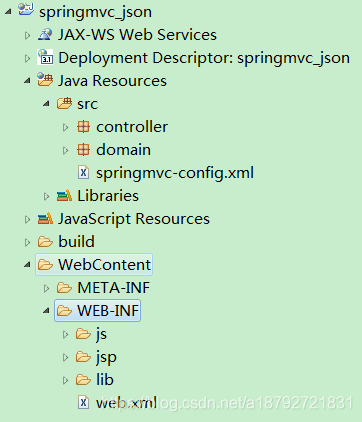
5.2导入jar包
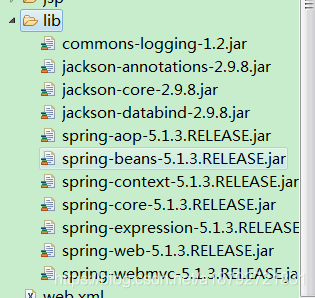
5.3配置web.xml
web.xml
1
2
3
4
5
6
7
8
9
10
11
12
13
14
15
16
17
18
19
20
21
22
23
24
25
26
27
<?xml version="1.0" encoding="UTF-8"?>
<web-app xmlns="http://java.sun.com/xml/ns/javaee"
	xmlns:xsi="http://www.w3.org/2001/XMLSchema-instance"
	xsi:schemaLocation="http://java.sun.com/xml/ns/javaee
	http://java.sun.com/xml/ns/javaee/web-app.xsd">
	<servlet>
		<!-- 配置前端过滤器 -->
		<servlet-name>springmvc</servlet-name>
		<servlet-class>org.springframework.web.servlet.DispatcherServlet</servlet-class>
		<!-- 初始化时加载配置文件 -->
		<init-param>
			<param-name>contextConfigLocation</param-name>
			<param-value>classpath:springmvc-config.xml</param-value>
		</init-param>
		<!-- 容器启动时加载servlet -->
		<load-on-startup>1</load-on-startup>
	</servlet>
	<servlet-mapping>
		<servlet-name>springmvc</servlet-name>
		<url-pattern>/</url-pattern>
	</servlet-mapping>
	<!-- tomcat的资源拦截过滤 -->
	<!-- <servlet-mapping>
		<servlet-name>default</servlet-name>
		<url-pattern>*.js</url-pattern>
	</servlet-mapping> -->
</web-app>
5.4配置springmvc
springmvc-config.xml
1
2
3
4
5
6
7
8
9
10
11
12
13
14
15
16
17
18
19
20
21
22
23
24
25
26
27
28
29
30
31
32
33
34
35
36
37
38
39
40
41
42
43
44
45
46
<?xml version="1.0" encoding="UTF-8"?>
<beans xmlns="http://www.springframework.org/schema/beans"
	xmlns:xsi="http://www.w3.org/2001/XMLSchema-instance"
	xmlns:context="http://www.springframework.org/schema/context"
	xmlns:mvc="http://www.springframework.org/schema/mvc"
	xsi:schemaLocation="http://www.springframework.org/schema/beans
	http://www.springframework.org/schema/beans/spring-beans.xsd
	http://www.springframework.org/schema/context
	http://www.springframework.org/schema/context/spring-context.xsd
	http://www.springframework.org/schema/mvc
	http://www.springframework.org/schema/mvc/spring-mvc.xsd
	">
	<!-- 指定需要扫描的包 -->
	<context:component-scan base-package="controller"></context:component-scan>
	<!-- 定义视图解析器 -->
	<bean id="viewResolver"
		class="org.springframework.web.servlet.view.InternalResourceViewResolver">
		<!-- 设定前缀 -->
		<property name="prefix" value="/WEB-INF/jsp/"></property>
		<!-- 设定后缀 -->
		<property name="suffix" value=".jsp"></property>
	</bean>
	<!-- json的转换器注解模式 -->
	<mvc:annotation-driven></mvc:annotation-driven>
 	<!-- 静态资源访问映射 -->
	<mvc:resources location="/WEB-INF/js/" mapping="/js/**"></mvc:resources>
 	<!-- 静态资源访问 -->
 <!-- 	<mvc:default-servlet-handler/>	 -->
 	<!-- bean显示的配置(映射器和适配器必须配对)json转换器注解显示配置 -->
	<!-- 映射器 -->
	<!-- <bean
		class="org.springframework.web.servlet.mvc.method.annotation.RequestMappingHandlerMapping">
	</bean> -->
	<!-- 适配器 -->
	<!-- <bean
		class="org.springframework.web.servlet.mvc.method.annotation.RequestMappingHandlerAdapter">
		<property name="messageConverters">
			<list>
				转换器
				<bean
					class="org.springframework.http.converter.json.MappingJackson2HttpMessageConverter">
				</bean>
			</list>
		</property>
	</bean> -->
</beans>
5.5导入jquery.js


5.6创建jsp

1
2
3
4
5
6
7
8
9
10
11
12
13
14
15
16
17
18
19
20
21
22
23
24
25
26
27
28
29
30
31
32
33
34
35
36
37
38
39
40
41
42
43
44
45
46
47
48
49
50
51
52
53
54
55
56
57
58
59
60
61
62
63
64
65
66
67
68
69
70
71
72
73
74
75
76
77
78
79
80
81
82
83
84
85
86
87
88
89
90
91
92
93
94
95
96
97
98
99
100
101
102
103
104
105
106
107
108
109
110
111
112
113
114
115
116
117
118
119
120
121
122
123
124
125
126
127
128
129
130
131
132
133
134
135
136
137
138
139
140
141
142
143
144
145
146
147
148
149
150
151
152
153
154
155
156
157
158
159
160
161
162
163
164
165
166
167
168
169
170
171
172
173
174
175
176
177
178
179
180
<%@ page language="java" contentType="text/html; charset=utf-8"
    pageEncoding="utf-8"%>
<!DOCTYPE html PUBLIC "-//W3C//DTD HTML 4.01 Transitional//EN" "http://www.w3.org/TR/html4/loose.dtd">
<html>
<head>
<meta http-equiv="Content-Type" content="text/html; charset=utf-8">
<title>Test Json</title>
<script type="text/javascript" src="${pageContext.request.contextPath }/js/jquery.js">
</script>
<script type="text/javascript">
$(document).ready(function (){
	$("input[type='button'][value='json提交']").click(function (){
		$.ajax({
			url:"${pageContext.request.contextPath}/test/json",
			type:"post",
			data:JSON.stringify({id:$("input[name='id']").val(),
				name:$("input[name='name']").val(),
				age:$("input[name='age']").val(),
				sex:$("input[name='sex']").val()
			}),
			contentType:"application/json;charset=utf-8",
			dataType:"json",
			success:function(data){
				if(data != null){
					$("form").append("<B>"+"id="+data.id+",name="+
						data.name+",age="+data.age+",sex="+data.sex+"</B>");
				}
			}});
	});

	$("input[type='button'][value='restful修改']").click(function (){
		$.ajax({
			url:"${pageContext.request.contextPath}/test/restful",
			type:"post",
			data:JSON.stringify({id:$("input[name='id']").val(),
				name:$("input[name='name']").val(),
				age:$("input[name='age']").val(),
				sex:$("input[name='sex']").val()
			}),
			contentType:"application/json;charset=utf-8",
			dataType:"json",
			success:function(data){
				if(data != null){
					$("form").append("<B>Modify:"+"id="+data.id+",name="+
						data.name+",age="+data.age+",sex="+data.sex+"</B><br/>");
				}
			}
		});
	});

	$("input[type='button'][value='restful增加']").click(function (){
		$.ajax({
			url:"${pageContext.request.contextPath}/test/restful",
			type:"put",
			data:JSON.stringify({id:$("input[name='id']").val(),
				name:$("input[name='name']").val(),
				age:$("input[name='age']").val(),
				sex:$("input[name='sex']").val()
			}),
			contentType:"application/json;charset=utf-8",
			dataType:"json",
			success:function(data){
				if(data != null){
					$("form").append("<B>Add:"+"id="+data.id+",name="+
						data.name+",age="+data.age+",sex="+data.sex+"</B><br/>");
				}
			}
		});
	});

	$("input[type='button'][value='restful查询']").click(function (){
		$.ajax({url:"${pageContext.request.contextPath}/test/restful/"+$("input[name='query']").val(),
			type:"get",
			contentType:"application/json;charset=utf-8",
			dataType:"json",
			success:function(data){
				if(data != null){
					$("form").append("<B>Query:"+"id="+data.id+",name="+
						data.name+",age="+data.age+",sex="+data.sex+"</B><br/>");
				}
			},
			error:function(){
				$("form").append("<B>Query:not have id="+$("input[name='query']").val()+"</B><br/>");
			}
		});
	});

	$("input[type='button'][value='restful删除']").click(function (){
		$.ajax({url:"${pageContext.request.contextPath}/test/restful/"+$("input[name='delete']").val(),
			type:"delete",
			contentType:"application/json;charset=utf-8",
			dataType:"json",
			success:function(data){
				if(data != null){
					$("form").append("<B>delete:"+"id="+data.id+",name="+
						data.name+",age="+data.age+",sex="+data.sex+"</B><br/>");
				}
			},
			error:function(){
				$("form").append("<B>Delete:not have id="+$("input[name='delete']").val()+"</B><br/>");
			}
		});
	});

});
</script>
</head>
<body>
	<form action="">
		<table border="1px">
			<tr>
				<td>
					id:
				</td>
				<td>
					<input type="text" name="id">
				</td>
			</tr>
			<tr>
				<td>
					name:
				</td>
				<td>
					<input type="text" name="name">
				</td>
			</tr>
			<tr>
				<td>
					age:
				</td>
				<td>
					<input type="text" name="age">
				</td>
			</tr>
			<tr>
				<td>
					sex:
				</td>
				<td>
					<input type="text" name="sex">
				</td>
			</tr>
			<tr>
				<td>
					<input type="reset" value="重置">
				</td>
				<td>
					<input type="button" value="json提交">
				</td>
			</tr>
			<tr>
				<td colspan="2">
					<input type="button" value="restful增加">
				</td>
			</tr>
			<tr>
				<td colspan="2">
					<input type="button" value="restful修改">
				</td>
			</tr>
			<tr>
				<td>
					<input type="text" name="query">
				</td>
				<td>
					<input type="button" value="restful查询">
				</td>
			</tr>
			<tr>
				<td>
					<input type="text" name="delete">
				</td>
				<td>
					<input type="button" value="restful删除">
				</td>
			</tr>
		</table>
	</form>
</body>
</html>
5.7创建domain

1
2
3
4
5
6
7
8
9
10
11
12
13
14
15
16
17
18
19
20
21
22
23
24
25
26
27
28
29
30
31
32
33
34
35
36
37
38
39
40
41
42
43
44
45
46
47
48
49
50
51
52
53
54
55
56
57
58
package domain;

import java.io.Serializable;

public class People implements Serializable{

	/**
	 *
	 */
	private static final long serialVersionUID = -1364237643930318187L;

	private Long id;

	private String name;

	private Integer age;

	private Integer sex;

	public Long getId() {
		return id;
	}

	public void setId(Long id) {
		this.id = id;
	}

	public String getName() {
		return name;
	}

	public void setName(String name) {
		this.name = name;
	}

	public Integer getAge() {
		return age;
	}

	public void setAge(Integer age) {
		this.age = age;
	}

	public Integer getSex() {
		return sex;
	}

	public void setSex(Integer sex) {
		this.sex = sex;
	}

	@Override
	public String toString() {
		return "[id=" + this.id + ",name=" + this.name + ",age=" + this.age
				+ ",sex" + this.sex + "]";
	}

}
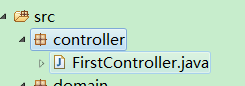
5.8创建controller
1
2
3
4
5
6
7
8
9
10
11
12
13
14
15
16
17
18
19
20
21
22
23
24
25
26
27
28
29
30
31
32
33
34
35
36
37
38
39
40
41
42
43
44
45
46
47
48
49
50
51
52
53
54
55
56
57
58
59
60
61
62
63
64
65
66
67
68
69
70
71
72
73
74
75
76
77
78
79
80
81
82
83
84
85
86
package controller;

import java.util.ArrayList;
import java.util.List;

import org.springframework.stereotype.Controller;
import org.springframework.web.bind.annotation.DeleteMapping;
import org.springframework.web.bind.annotation.GetMapping;
import org.springframework.web.bind.annotation.PathVariable;
import org.springframework.web.bind.annotation.PostMapping;
import org.springframework.web.bind.annotation.PutMapping;
import org.springframework.web.bind.annotation.RequestBody;
import org.springframework.web.bind.annotation.RequestMapping;
import org.springframework.web.bind.annotation.ResponseBody;

import domain.People;

@Controller
@RequestMapping("/test")
public class FirstController{

	@RequestMapping("/toJson")
	public String toJson(){
		return "json";
	}

	@RequestMapping("/json")
	@ResponseBody
	public People resultPeople(@RequestBody People people){
		people.setId(people.getId()+10);
		people.setName(people.getName()+"json");
		people.setAge(people.getAge()+10);
		people.setSex(people.getSex()+3);
		return people;
	}

	private List<People> dataPeoples = new ArrayList<>();

	@PostMapping("/restful")
	@ResponseBody
	public People restfulModify(@RequestBody People people){
		dataPeoples.stream().forEach(p -> {
			if(p.getId().equals(people.getId())){
				p.setName(people.getName());
				p.setAge(people.getAge());
				p.setSex(people.getSex());
			}
		});
		if(!dataPeoples.contains(people)){
			dataPeoples.add(people);
		}
		return people;
	}

	@PutMapping("/restful")
	@ResponseBody
	public People restfulAdd(@RequestBody People people){
		dataPeoples.add(people);
		return people;
	}

	@GetMapping("/restful/{id}")
	@ResponseBody
	public People restfulQuery(@PathVariable("id") Long id){
		People people = null;
		try{
		people = dataPeoples.stream().filter(p -> id.equals(p.getId()))
				.findFirst().get();
		} catch(RuntimeException runtimeException){
		}
		return people;
	}

	@DeleteMapping("/restful/{id}")
	@ResponseBody
	public People restfulDelete(@PathVariable("id") Long id){
		People people = null;
		try{
			people = dataPeoples.stream().filter(p -> id.equals(p.getId()))
					.findFirst().get();
		}catch(RuntimeException runtimeException){
		}
		dataPeoples.removeIf(p -> p.getId().equals(id));
		return people;
	}
}
6.测试结果
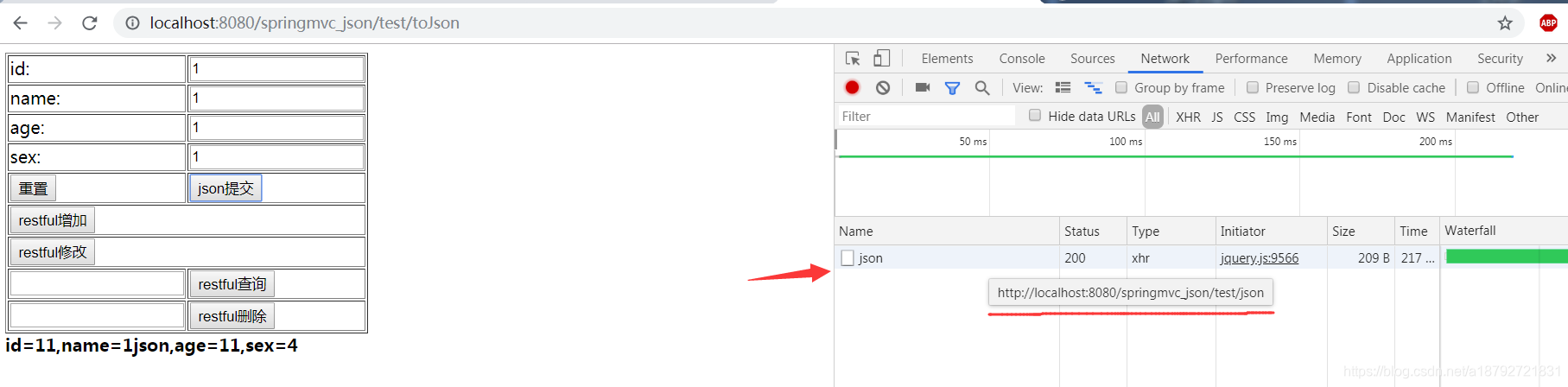
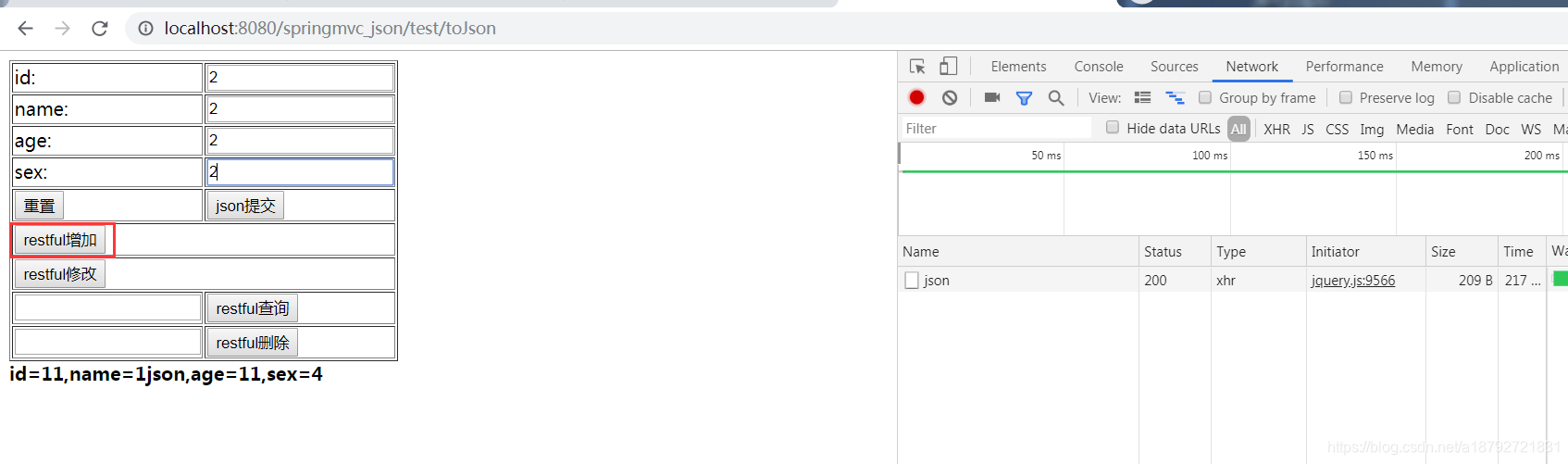
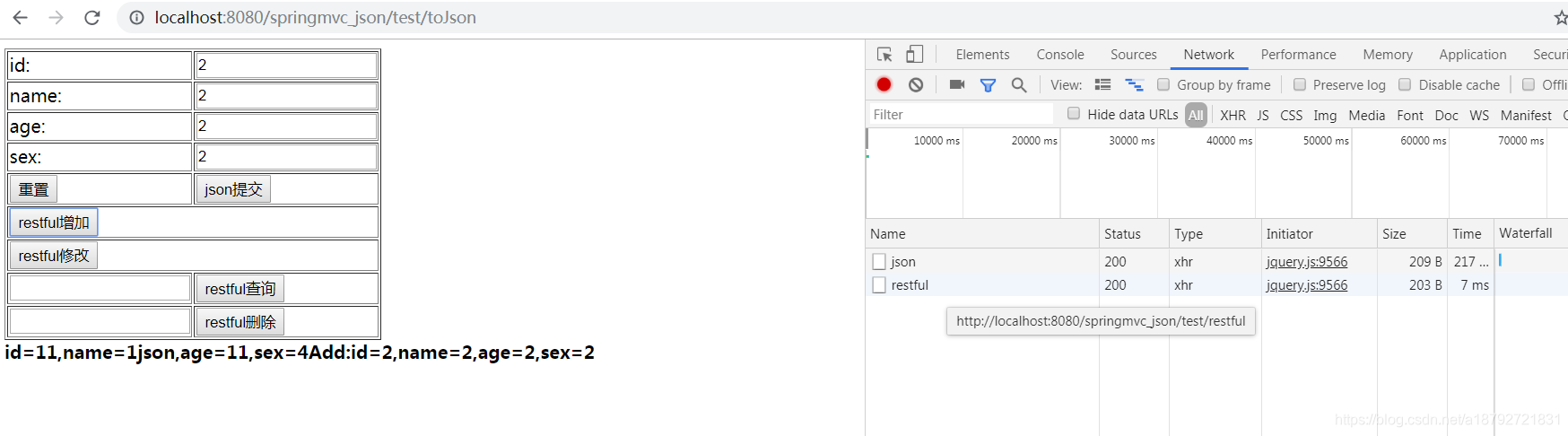
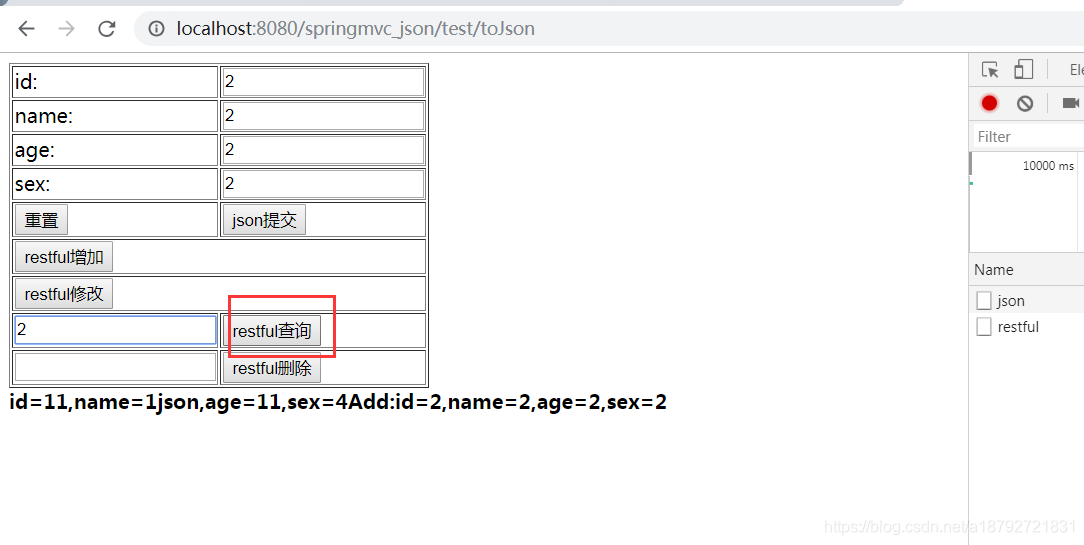
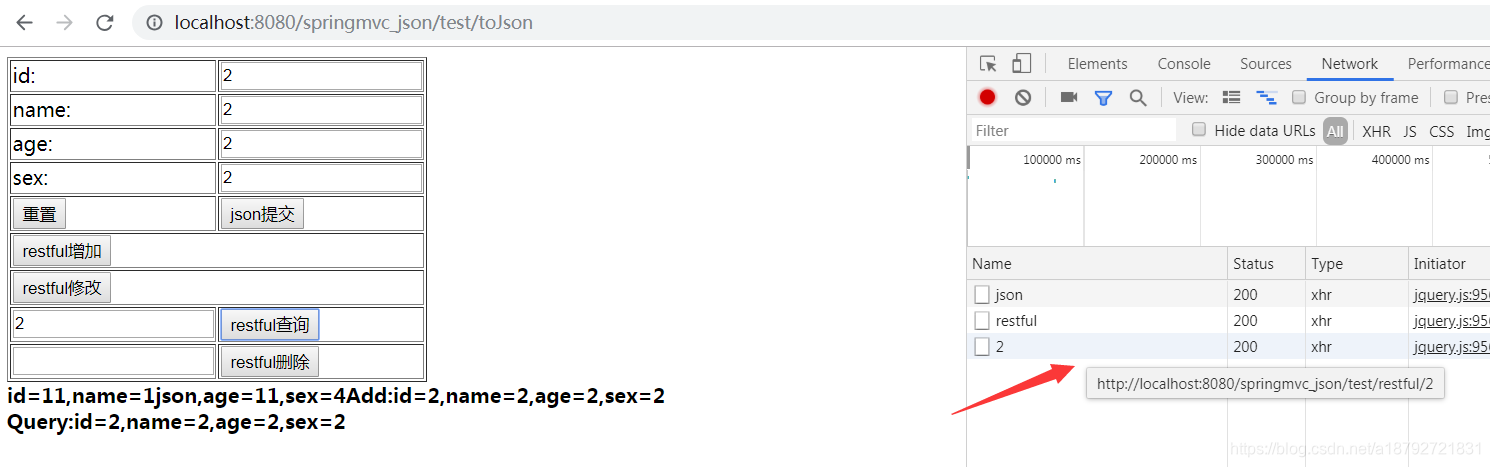
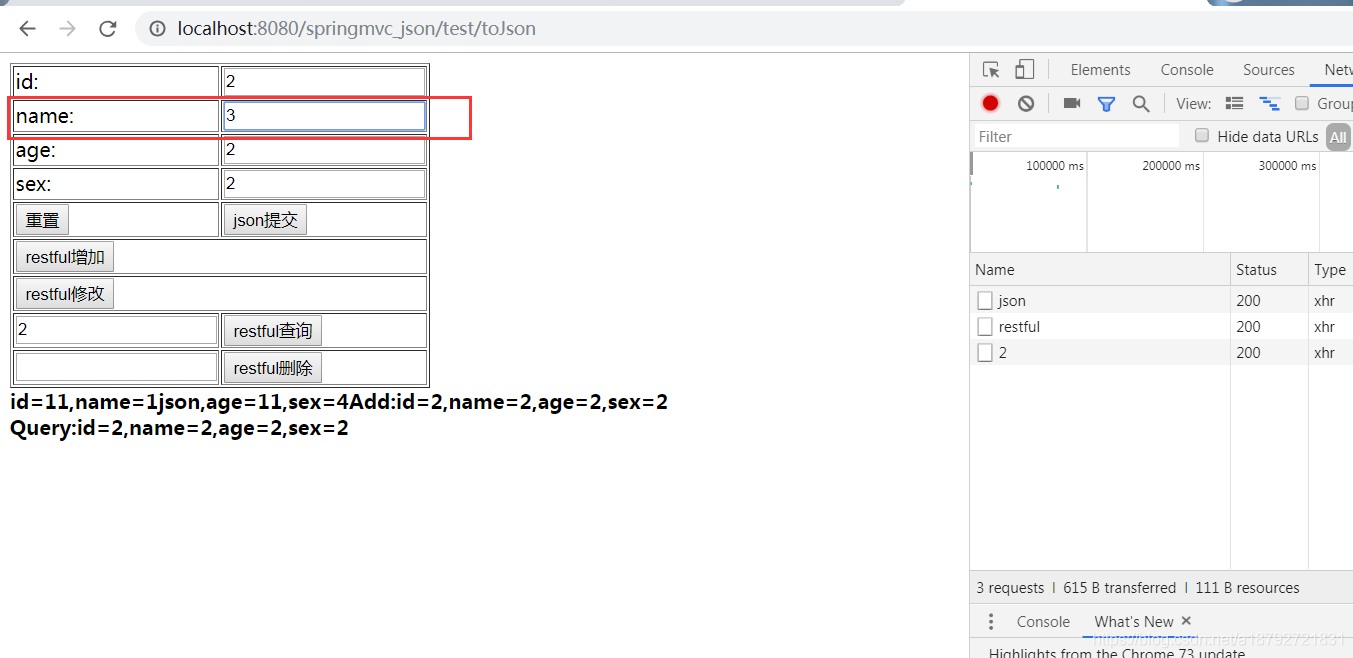
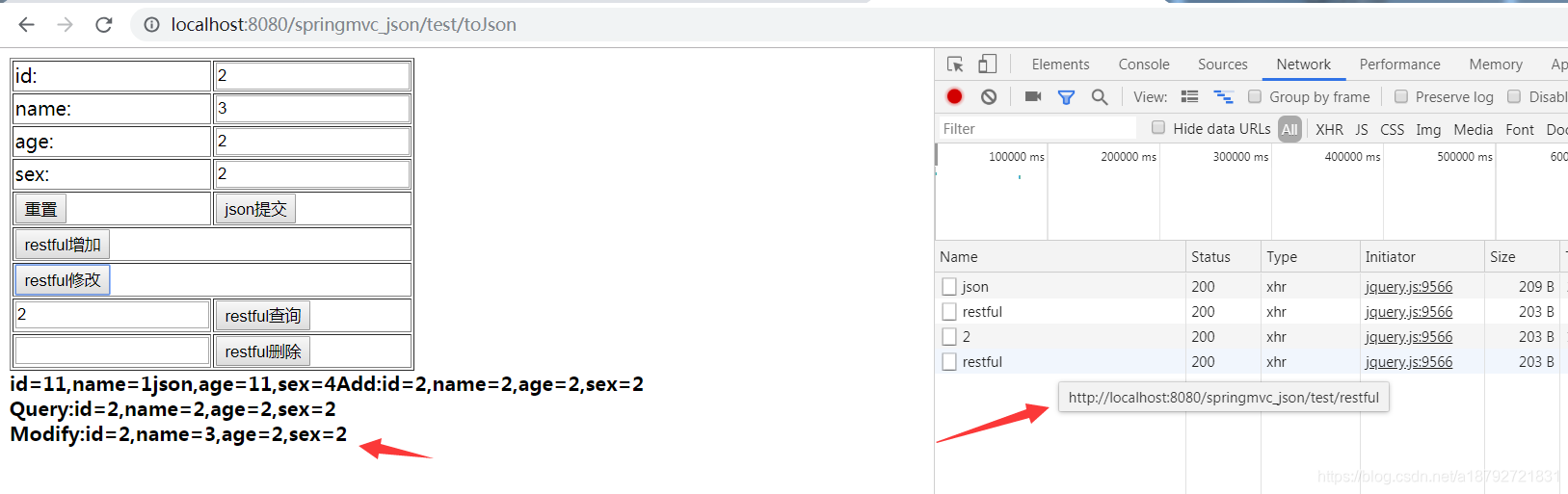
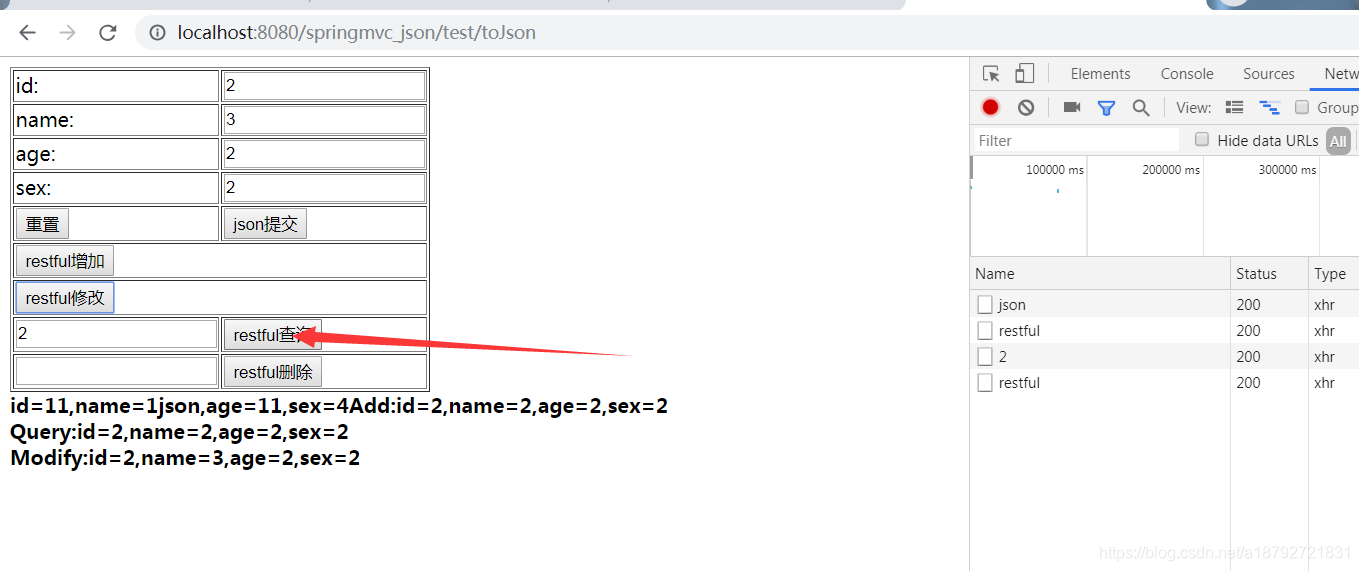
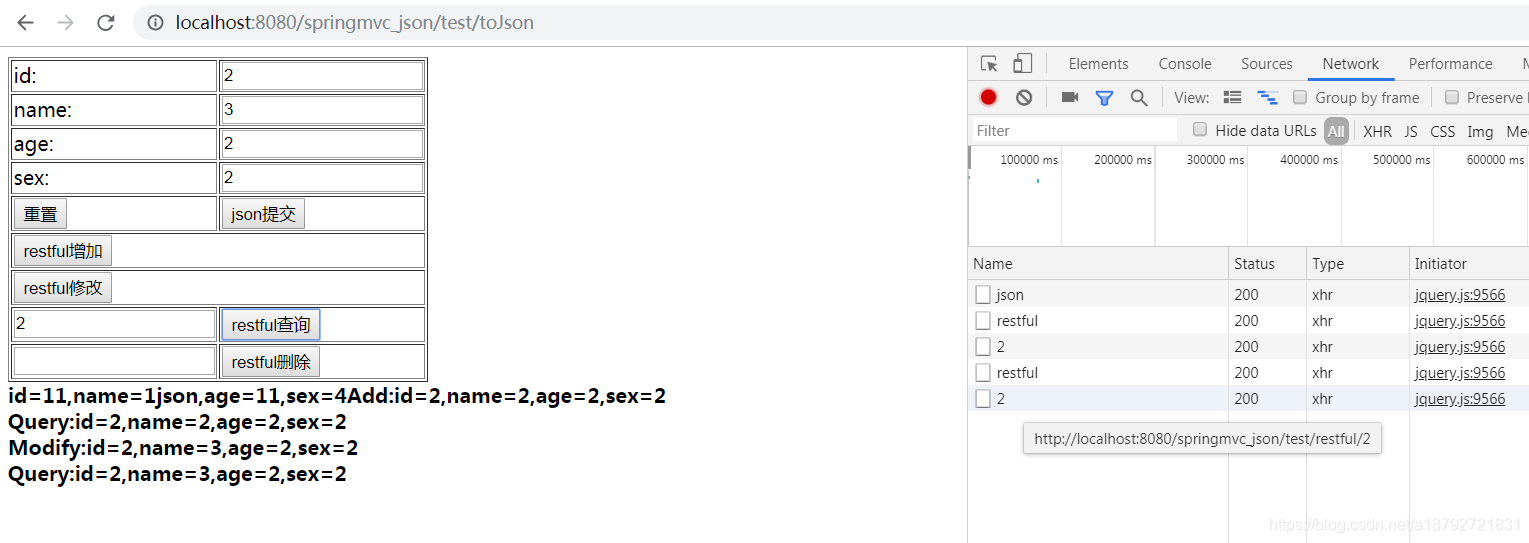
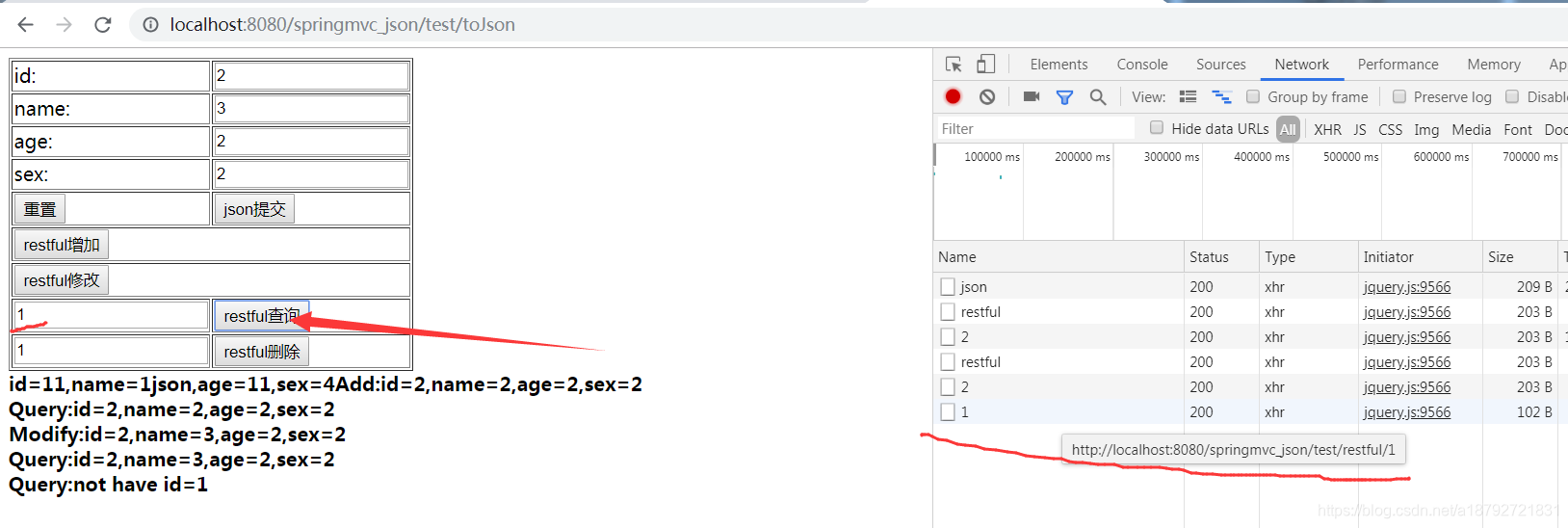
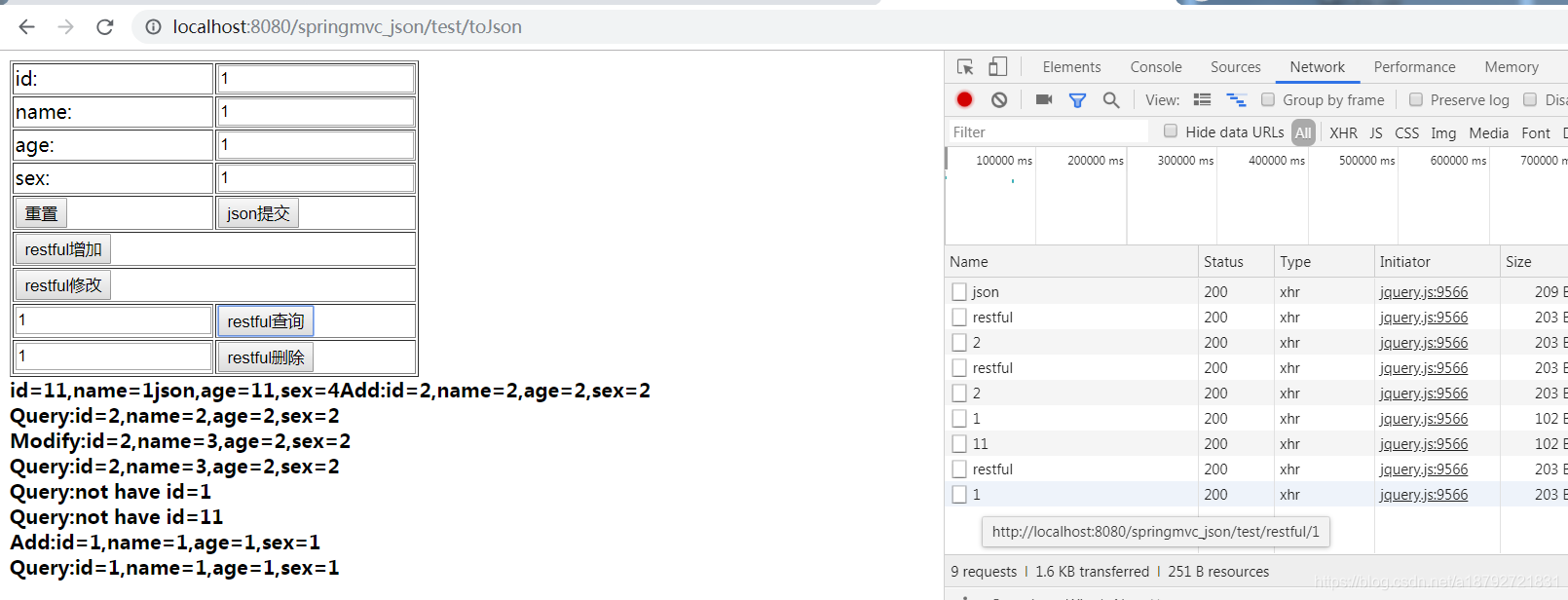
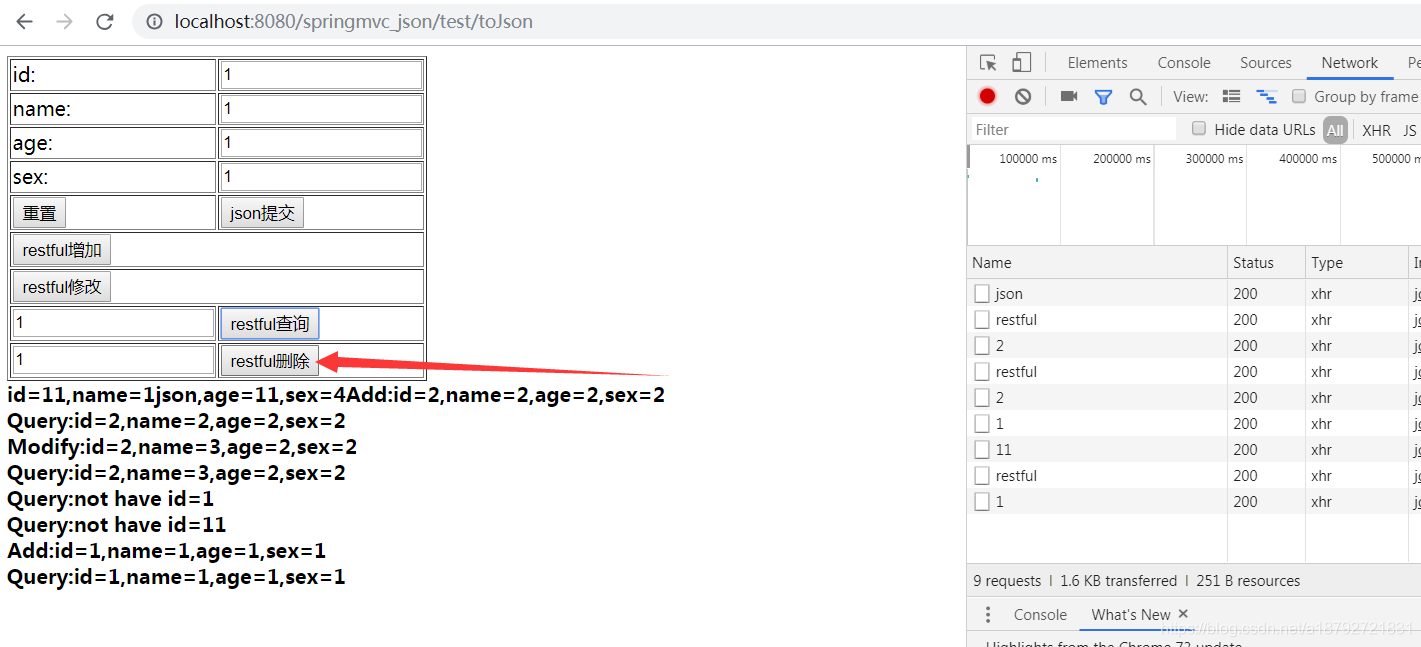
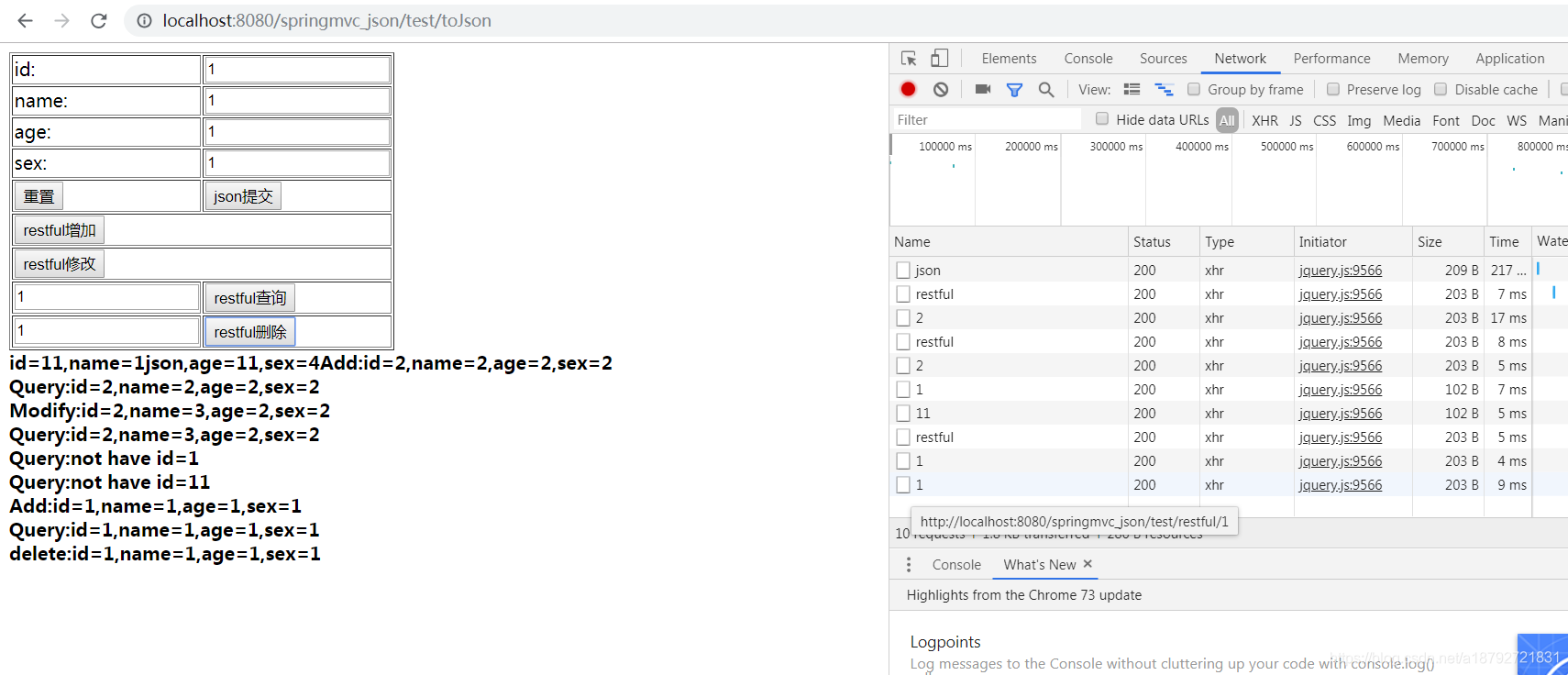
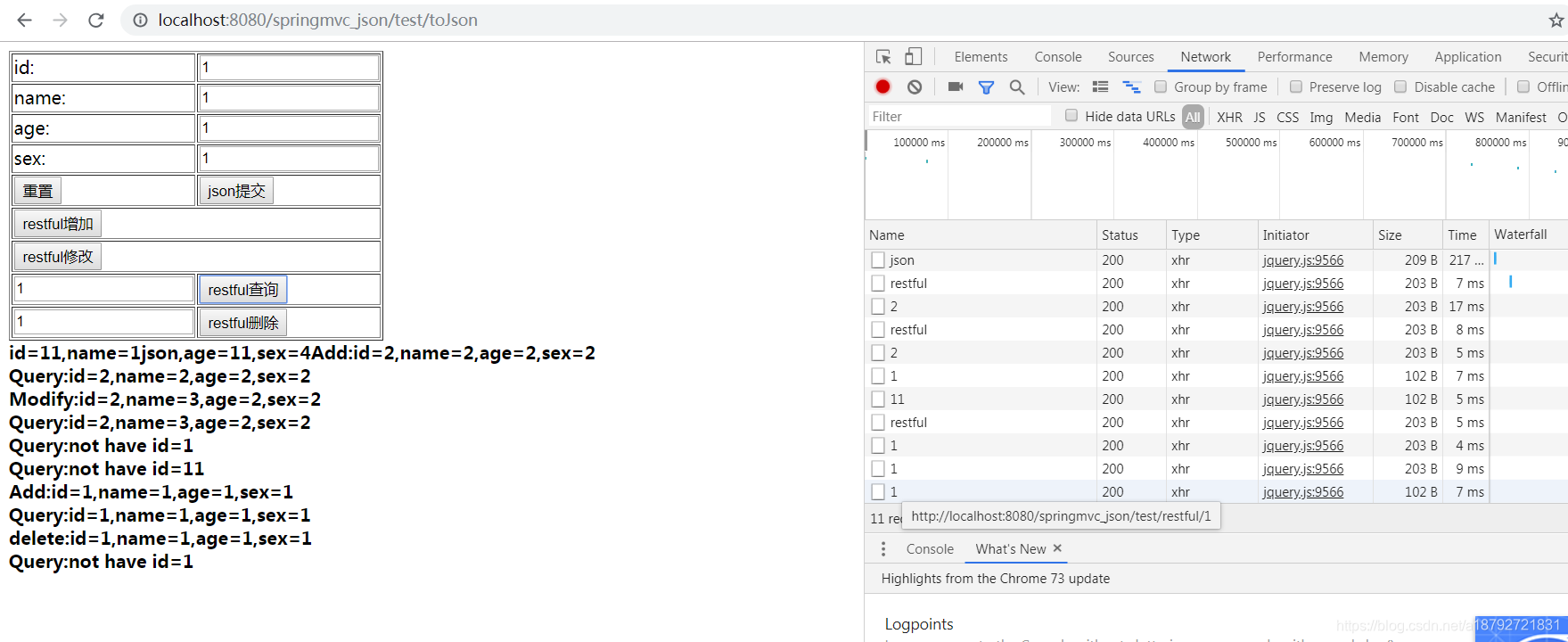
在controller中使用ArrayList模拟restful的操作。
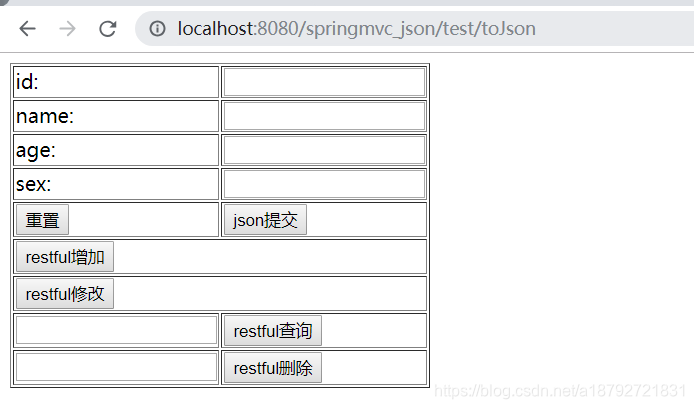
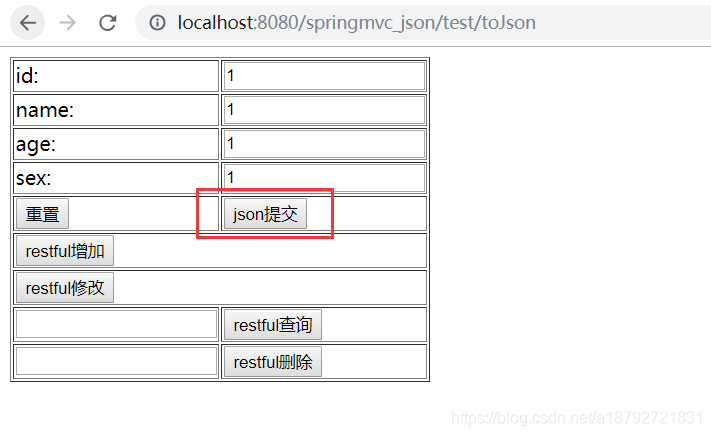
ajax JSON交互:
restful增加:
restful查询:
restful修改
restful查询
restful删除
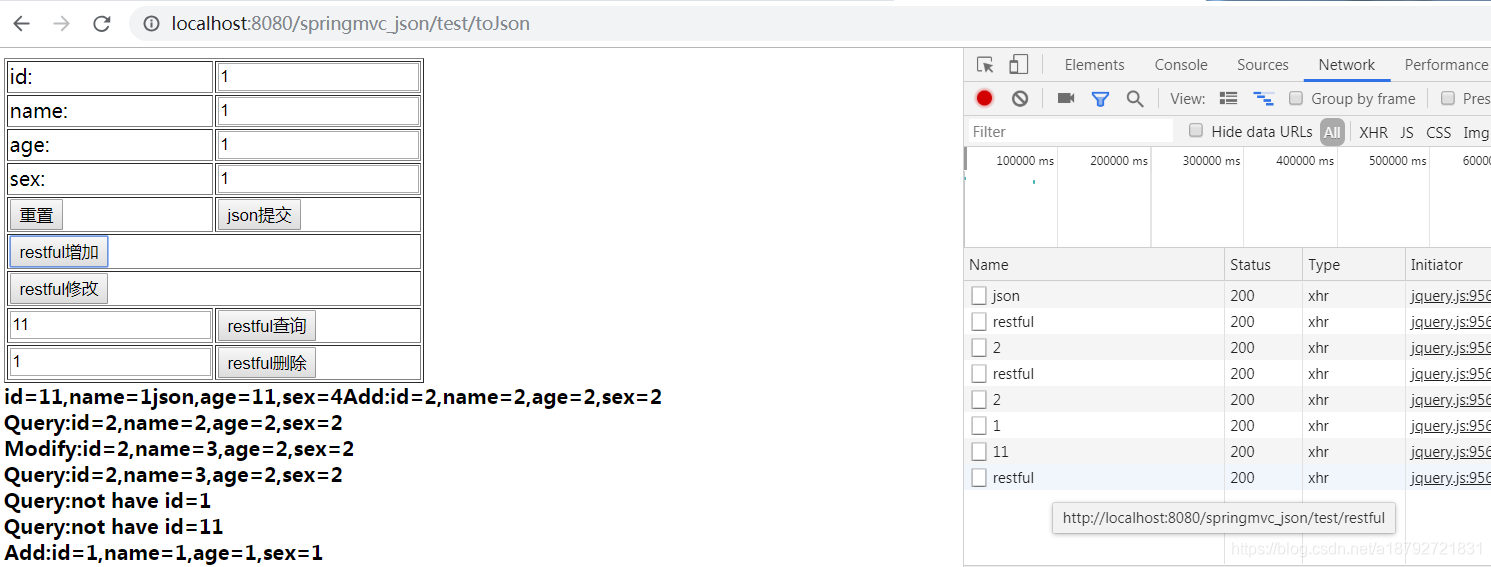
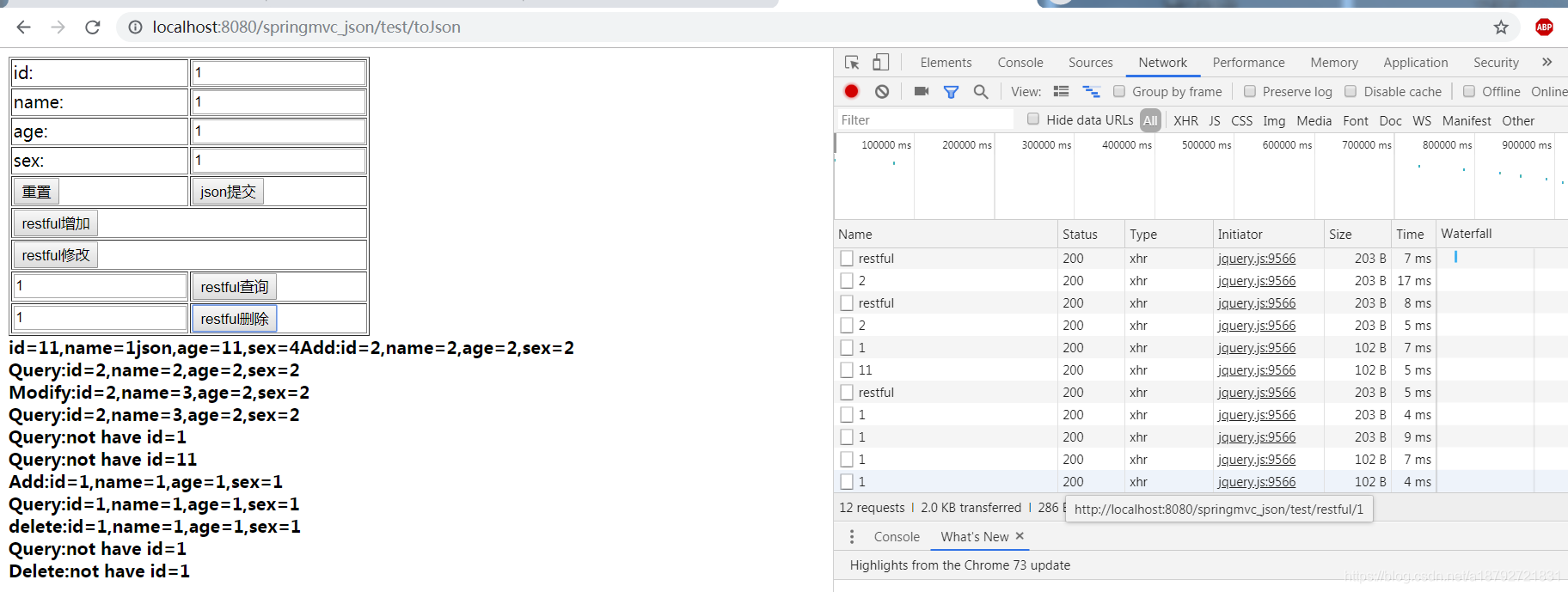
在restful风格中,对一种资源的操作,实际上访问的是一个地址的请求,在访问方式上有所区别。